Welcome
 Automate
 Ensure
 Analyze
 Other
Other Download
Security
Compliance Recording in 2026: a complete guide


 Download

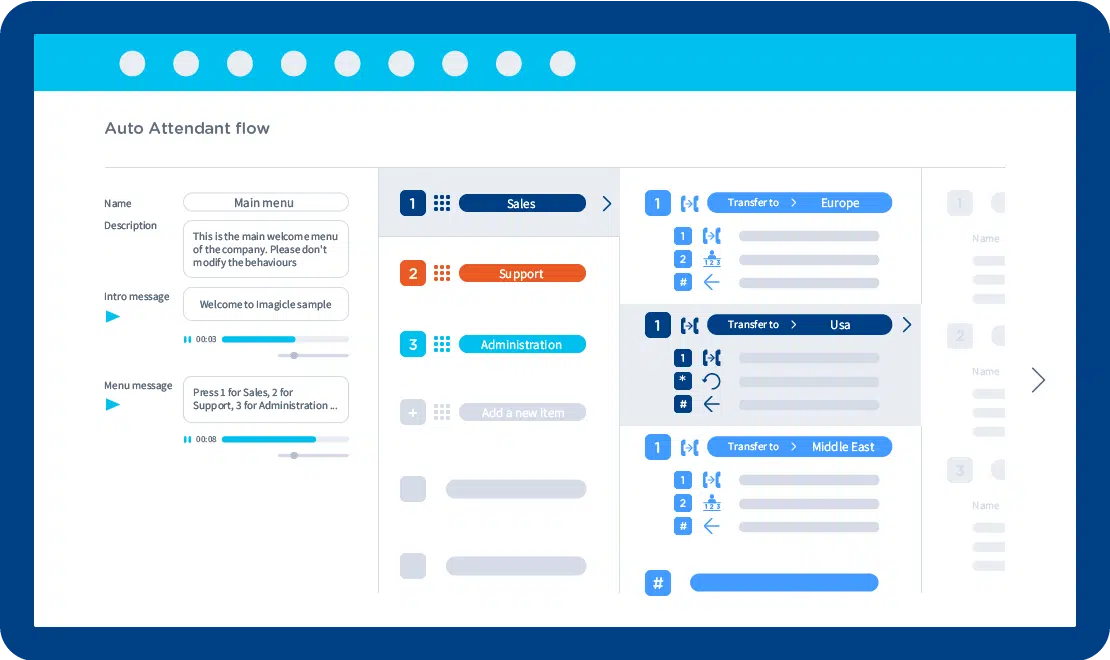
Enter the number to activate the service on, add a new behavior, and configure it. You're done!
Intuitive and complete web management. Integrated with Imagicle Attendant Console and Advanced Queueing.
The first impression is crucial for your business. Greet customers with a warm, personalized message.
Reduce waiting times, deliver always on services 24 hours a day, and increase your customers’ satisfaction.
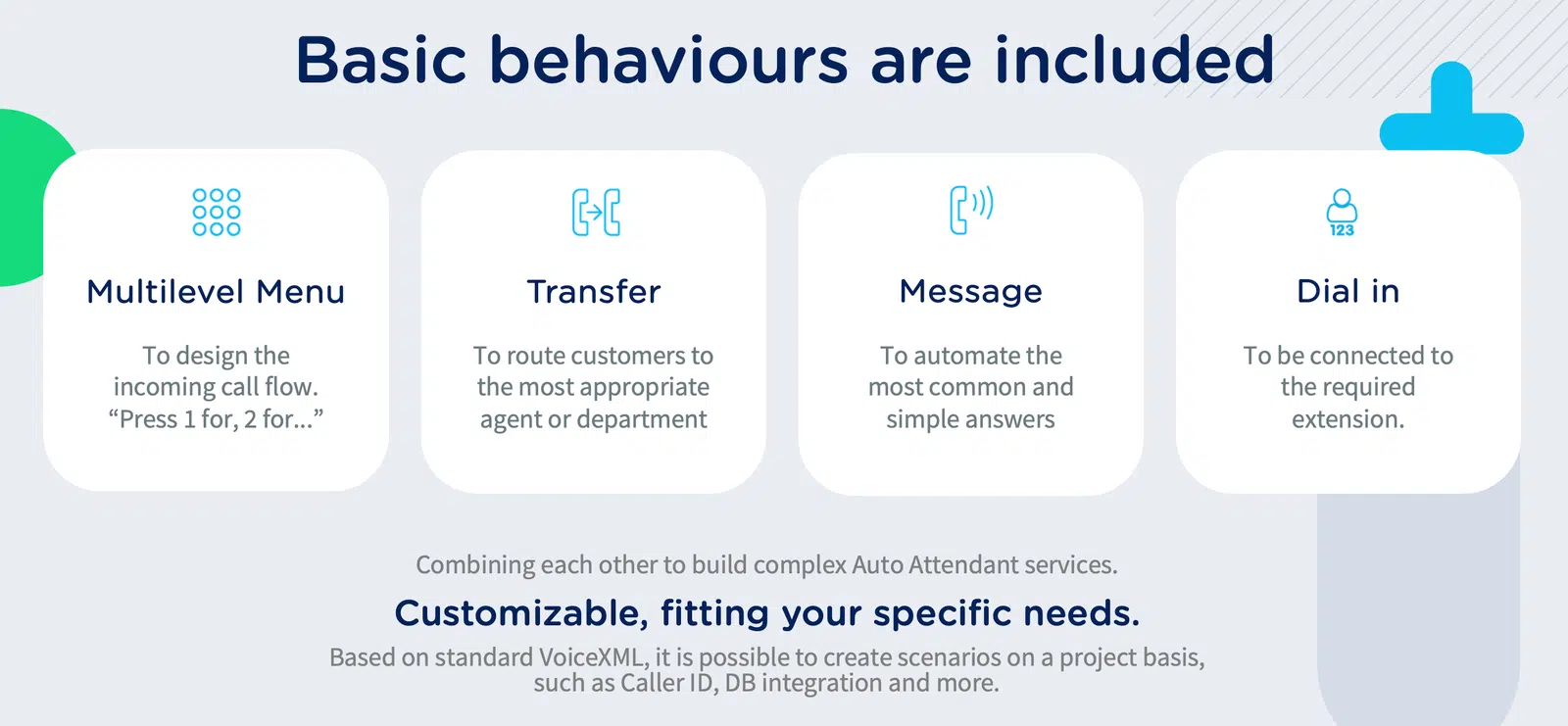
Automate part of the call handling process, level up employees' productivity, and reduce extra costs.
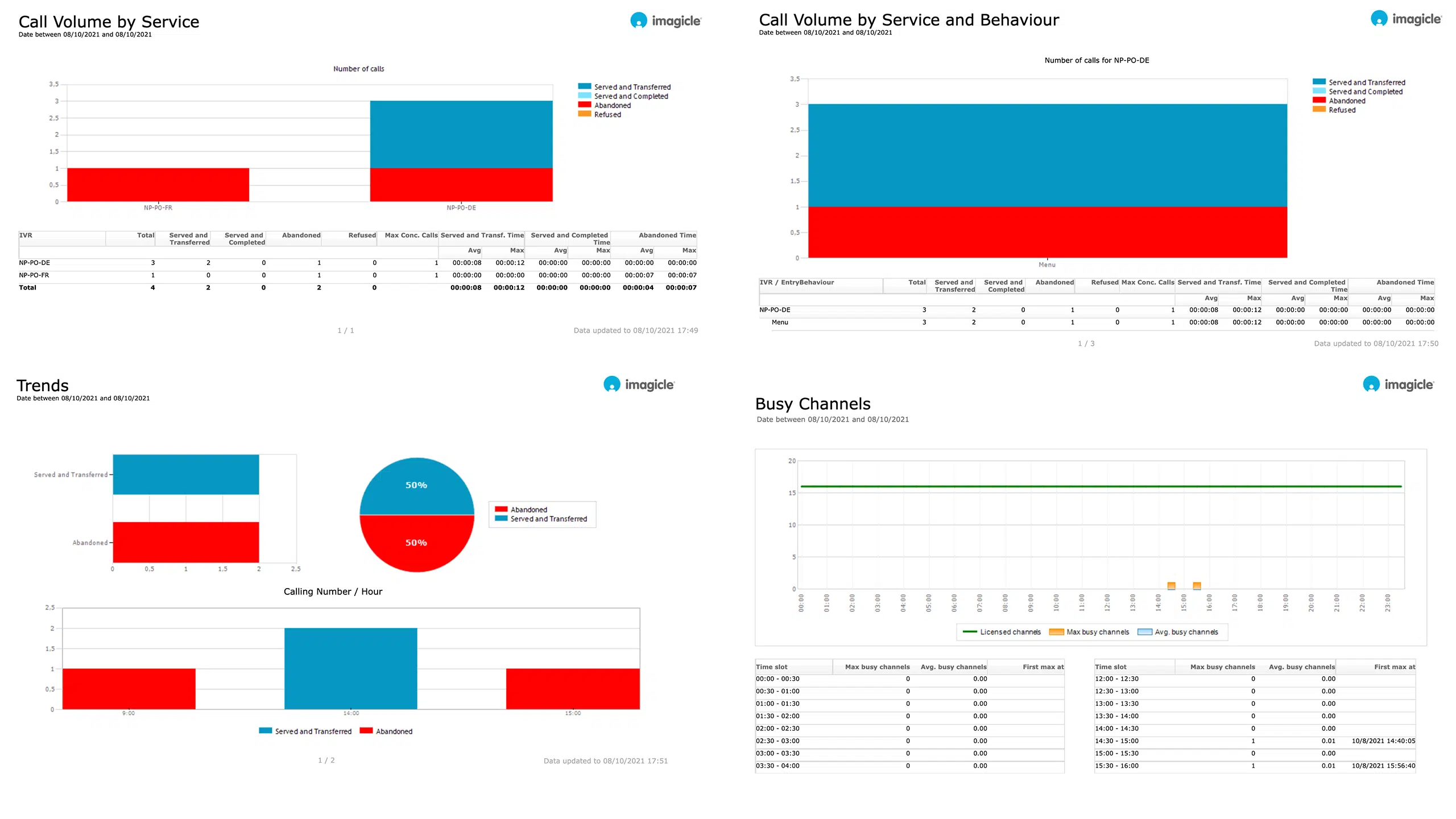
Call Volume by Service & Behavior, Busy Channels, Call Details and Trends with export and scheduling options.
Enter the number to activate the service on, add a new behavior, and configure it. You're done!
Intuitive and complete web management. Integrated with Imagicle Attendant Console and Advanced Queueing.
The first impression is crucial for your business. Greet customers with a warm, personalized message.
Reduce waiting times, deliver always on services 24 hours a day, and increase your customers’ satisfaction.
Automate part of the call handling process, level up employees' productivity, and reduce extra costs.
Call Volume by Service & Behavior, Busy Channels, Call Details and Trends with export and scheduling options.

Improve incoming call management, optimize resources, reduce customer waiting time and welcome your customers at best.
Learn More
Manage your calls quickly and professionally: transfer, park, notify calls on hold and check your colleagues' status.
Learn More
Synchronize your contacts among multiple directories. Enable click to call and welcome your customers by name with the Caller ID.
Learn More
 Download
Download
Download
Download
Download
Download
Download
What calling platforms is Auto Attendant compatible with?
Platforms listed in the following table have been verified for operation with the product. Imagicle solutions are based on technological standards and therefore operate with many of the most commonly used systems on the market. Should your system not be listed, please contact our technical department to check interoperability. Cloud Connector, Office365 and Teams are currently not supported.
| Producer | System | Release | Certifications | Notes |
|---|---|---|---|---|
| Alcatel - Lucent | OmniPCX Enterprise | 9.x-10.x | verified- contact Imagicle for details | |
| Avaya-Nortel | Communication Manager - Aura | 6.x-7.x-8.x | verified- contact Imagicle for details | |
| CISCO | HCS | 8.6- 9.x- 10.x- 11.x-12.x-14.x | ||
| CISCO | Unified Communications Manager (Included Webex Calling Dedicated) | 8.6- 9.x- 10.x- 11.x-12.x-14.x | Cisco Compatible | |
| CISCO | Unified Communications Manager Business Edition 6000 | 8.6- 9.x- 10.x- 11.x-12.x-14.x | Cisco Compatible | |
| CISCO | Unified Communications Manager Business Edition 7000 | 8.6- 9.x- 10.x- 11.x-12.x-14.x | Cisco Compatible | |
| CISCO | Unified Communications Manager Express | 7.x- 8.x- 9.x-10.x-11.x-12.x-14.x | ||
| CISCO | Webex Calling Multi-Tenant | |||
| Microsoft | Microsoft Teams - Skype for Business Server 2015/2019 | |||
| MaticMind | MonkeyVoice | 2 |
Download
Download
 Watch
Watch
Watch
Watch
Watch
Watch
Download
Download
Watch
Watch
Watch
Watch
Watch
Watch
Download
Download
An auto attendant is an automated interactive voice response (IVR) menu that answers calls, plays customized greetings, and routes callers to the right person, queue or service without human intervention.
Compared to a live receptionist, it guarantees zero waiting times and faster routing, reducing missed calls and manual workload, leaving receptionists only to deal with calls and not transfers.
From the web portal you create an IVR service, define its pilot number, upload voice prompts, and add menu options (e.g., “Press 1 for Sales”). Each option can route to internal extensions, queues, external numbers, or another IVR. You can also configure time-based behaviors to change menus during off-hours or holidays. You can retrieve more info on the knowledge base under Auto Attendant Product Configuration.
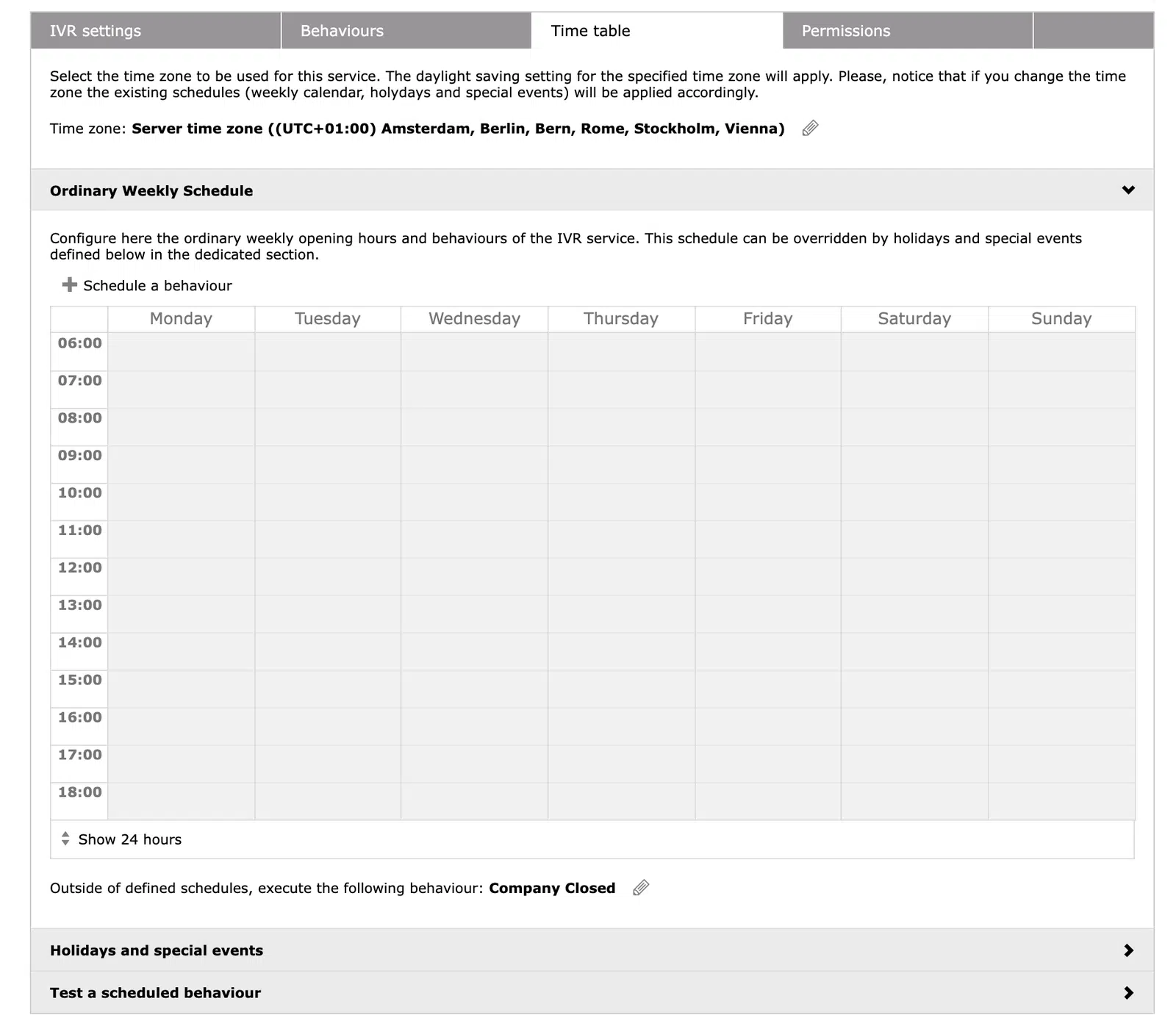
Yes. Auto Attendant supports Time Tables, letting you define business hours, lunch breaks, weekends and holidays. Each time range can use a different IVR flow (e.g., daytime menu, after-hours message, holiday message), ensuring callers always reach the appropriate service.
Auto Attendant works with major enterprise calling platforms (Cisco UCM, Webex Calling, Microsoft Teams via SIP routing, and SIP-based PBXs). As long as the PBX can route calls to Imagicle via SIP trunk, the IVR can answer and route calls based on its configured scripts.
Yes. You can upload custom WAV/MP3 prompts, including human-recorded greetings. Auto Attendant also includes multiple built-in languages and allows language-specific routing (e.g., “Press 9 for Spanish”), making it easy to support multilingual customer service.
Auto Attendant can route each IVR option directly to an Advanced Queueing service or to Imagicle Attendant Console operator groups, so you can build flows like IVR → Queue → Operator with full control over wait times and call distribution. In addition, specific options or overflows can be routed to Imagicle AI Virtual Receptionist / Virtual Agents for 24/7 conversational self-service, which then escalate to queues or operators only when human support is really needed.
In the web portal, you can see number of incoming calls, menu selections, abandoned calls, busy-channel events, peak hours and call outcomes. Reports can be exported or scheduled via email to track performance over time and identify menu improvements.
Yes. Each menu option can route to queues, operators or external numbers. You can also configure timeouts (e.g., if the caller doesn’t press anything) and fallback rules to send callers to a queue, voicemail, or another IVR branch.
Keep menus short (3–5 options), start with the most requested services, provide multilingual paths only if needed, use clear and friendly prompts, and always include an escape option (e.g., “Press 0 to speak with an agent”). Test regularly and track menu selections to refine the flow.
Use Time Tables to assign different IVR scripts by time range (business hours, night, holiday). For example, during holidays the system can bypass normal menus and play a dedicated greeting before routing callers to queues or voicemail.
In some PBXs you may hear a ring-back before the IVR plays a prompt. You can disable this by adjusting PBX SIP trunk settings so early media is passed to UCX Suite immediately. Once configured, callers hear the Auto Attendant greeting with no initial ring-back.
Yes, IVR flows can hand off calls to Advanced Queueing, inheriting its routing logic, distribution algorithms, overflow rules and wait-time strategies. This ensures seamless routing from self-service to live agents.
Improve incoming call management, optimize resources, reduce customer waiting time and welcome your customers at best.
Learn More
Manage your calls quickly and professionally: transfer, park, notify calls on hold and check your colleagues' status.
Learn More
Synchronize your contacts among multiple directories. Enable click to call and welcome your customers by name with the Caller ID.
Learn More