EN
Wed. 29 Apr
11:00 AM EDT Register
11:00 AM EDT
Register
WEBINAR - Sales Lab
Delivering 24/7 service with AI Receptionist


 Register
 Register

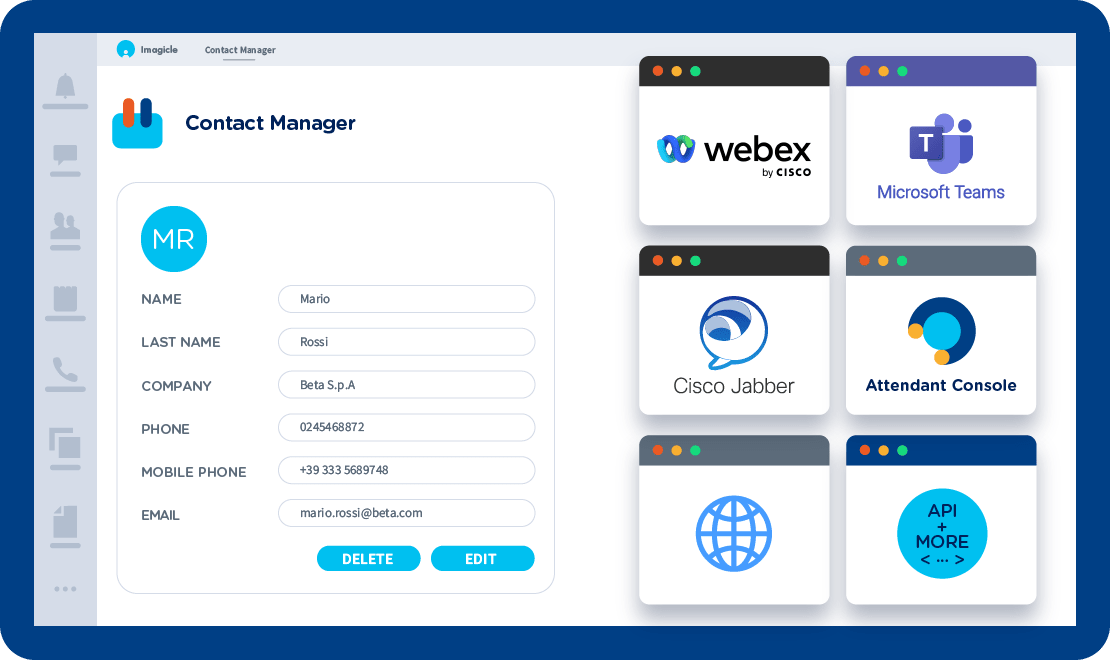
Unlimited internal, external, personal, or even group directories, centralized and synchronized in your daily tools.
Perfectly integrated with our Attendant Console, Cisco Jabber, Webex, and Finesse; Cisco Phones, and Microsoft Teams.
Answer every call by greeting your caller with their name, thanks to the Caller ID feature. Useful in contact center software scenarios.
Improve your call activity with short numbers, click to call, and advanced search to find and call contacts right away.
Customize your directories with up to 10 custom fields to simplify and speed up your contact search activity.
Import and sync all your external sources such as Salesforce.com, Dynamics, ODBC, Exchange, Lotus Notes, Excel, LDAP, etc.
Unlimited internal, external, personal, or even group directories, centralized and synchronized in your daily tools.
Perfectly integrated with our Attendant Console, Cisco Jabber, Webex, and Finesse; Cisco Phones, and Microsoft Teams.
Answer every call by greeting your caller with their name, thanks to the Caller ID feature. Useful in contact center software scenarios.
Improve your call activity with short numbers, click to call, and advanced search to find and call contacts right away.
Customize your directories with up to 10 custom fields to simplify and speed up your contact search activity.
Import and sync all your external sources such as Salesforce.com, Dynamics, ODBC, Exchange, Lotus Notes, Excel, LDAP, etc.

Contact Manager for Cisco Finesse

Contact Manager for Webex

Contact Manager for Microsoft Teams

Manage your calls quickly and professionally: transfer, park, notify calls on hold and check your colleagues' status.
Learn More
Virtualize fax management: send faxes from email, web, and mobile. Save on materials and maintenance and help the planet.
Learn More
Record 100% of calls, start/stop, skip sensitive information, get detailed reports and comply with data regulations.
Learn More

What calling platforms is Contact Manager compatible with?
Platforms listed in the following table have been verified for operation with the product. Imagicle solutions are based on technological standards and therefore operate with many of the most commonly used systems on the market. Should your system not be listed, please contact our technical department to check interoperability. Cloud Connector, Office365 and Teams are currently not supported.
| Producer | System | Release | Certifications | Notes |
|---|---|---|---|---|
| Alcatel - Lucent | OmniPCX Enterprise | 9.x-10.x | Directories access available only from Attendant Console- web portal and mobile app. No Services available from IP Phones. | |
| Alcatel - Lucent | OmniPCX Office | 7.x- 8.x- 9.x- 10.x | Directories access available only from web portal and mobile app. No Services available from IP Phones. | |
| Avaya-Nortel | Communication Manager - Aura | 6.x-7.x-8.x | Directories access available only from Attendant Console- web portal and mobile app. Access from IP Phones available on a project base. Please contact Imagicle for further details. | |
| Avaya-Nortel | IP Office | Directories access available only from Desktop CTI console- web portal and mobile app. No Services available from IP Phones. | ||
| Broadsoft | Broadworks | Directories access available only from Attendant Console- web portal and mobile app. No Services available from IP Phones. | ||
| CISCO | HCS | 8.6- 9.x- 10.x- 11.x-12.x-14.x | Cisco Compatible | |
| CISCO | Unified Communications Manager (Included Webex Calling Dedicated) | 7.x- 8.x- 9.x- 10.x- 11.x- 12.x-14.x | Cisco Compatible | |
| CISCO | Unified Communications Manager Business Edition 6000 | 8.6- 9.x- 10.x- 11.x-12.x-14.x | Cisco Compatible | |
| CISCO | Unified Communications Manager Business Edition 7000 | 8.6- 9.x- 10.x- 11.x-12.x-14.x | Cisco Compatible | |
| CISCO | Unified Communications Manager Express | 7.x- 8.x- 9.x-10.x-11.x-12.x-14.x | Caller ID not available | |
| CISCO | Webex Calling Multi-Tenant | Caller ID available for calls coming from Imagicle queues only. Directories access from Webex Desktop client- web portal and Attendant Console | ||
| Microsoft | MS-Teams - Skype for Business Server 2015/2019 | Directories access available only from Attendant Console- MS-Teams client- web portal and mobile app. No Services available from SFB clients. | ||
| MaticMind | MonkeyVoice | 2 | Directories access available only from Attendant Console- web portal and mobile app. No Services available from IP Phones. |
What endpoints is Contact Manager compatible with?
| Product | Producer | Phone | Certifications | Notes |
|---|---|---|---|---|
| Contact Manager | CISCO | 6921 - 6941 - 6945 - 6961 | ||
| Contact Manager | CISCO | 7800 series | Fast-Search compatibility for 7811- 7821- 7841- 7861 | |
| Contact Manager | CISCO | 7911 - 7911G - 7912 - 7921 - 7921 - 7921G - 7922 - 7925G - 7925G-EX - 7926G - 7931 - 7931G - 7940 - 7941 - 7941G - 7941G-GE - 7942 - 7942G - 7945 - 7945G - 7960 - 7961 - 7961G - 7961G-GE - 7962 - 7962G - 7965 - 7965G - 7970 - 7970G - 7971G-GE - 7975 - 7975G | Fast-Search compatibility for 7911G- 7921G- 7925G- 7925G-EX- 7926G- 7931G- 7941G- 7941G-GE- 7942G- 7945G- 7961G- 7961G-GE- 7962G- 7965G- 7970G- 7971G-GE- 7975G | |
| Contact Manager | CISCO | 8800 series | Fast-Search compatibility for 8841- 8851. Other models under investigation. | |
| Contact Manager | CISCO | 8941 - 8945 - 8961 | Fast-Search compatible | |
| Contact Manager | CISCO | 9951 - 9971 | Fast-Search compatible | |
| Contact Manager | CISCO | IP Communicator | Fast-Search compatible | |
| Contact Manager | CISCO | DX650 - DX80 - DX70 | Using UDS- only in contact separation scenarios- only for internal contacts | |
| Contact Manager | CISCO | Webex Desktop Client- Jabber Desktop and Jabber Mobile Clients | Access to directories through Imagicle Contacts Gadget | |
| Contact Manager | CISCO | Finesse web client | Access to directories through Imagicle Contacts Finesse Gadget | |
| Contact Manager | MICROSOFT | MS-Teams Desktop and Mobile client | Access to directories through Imagicle Contacts App |
Register
 Watch
Watch
Register
Watch
Watch
Watch
Watch
Register
Watch
Watch
 Download
Download
Download
Download
Download
Download
Download
Imagicle Contact Manager is a centralized corporate directory that unifies internal and external contacts into one searchable database accessible from Webex, Microsoft Teams, the Imagicle UCX Platform and Attendant Console. Companies use it to ensure consistent caller ID, click-to-call, faster lookups, and a synchronized address book with private and public contacts for all users.
Contact Manager publishes corporate directories to supported platforms through XML/UDS services or API-based sync, so users can search contacts and see caller ID on Cisco desk phones, Jabber/Webex apps, Microsoft Teams, and other UC endpoints.
Yes, you can sync multiple data sources such as Active Directory/LDAP, Exchange/Outlook, CRM tools like Salesforce, SQL databases, CSV files and other external repositories. Syncs can run automatically on a schedule to keep all contacts up to date.
You can create an unlimited number of directories, grouped as:
Each directory can have its own rules, fields and access permissions.
Contact Manager offers fast search across all directories from phones, Webex, Microsoft Teams, the Imagicle UCX Platform and Attendant Console. It also provides caller ID matching, multi-field search, click-to-call actions, and efficient indexing so operators and users can find contacts instantly, even in very large datasets.
Yes, users can access Contact Manager from their preferred endpoint anywhere. It works for remote and hybrid workers without requiring local directory copies.
Yes, each directory can include custom fields (e.g., customer code, department, role, notes) and Contact Manager will index them for search. You can tune which fields appear on phones and in popups to avoid overly long or unsupported field sets on some devices.
Use scheduled syncs from authoritative sources (AD/LDAP/CRM), avoid manual entry when possible, enable department-based separation, remove unused fields, and periodically review duplicates or outdated records. Keep directory structures simple and aligned with org charts.
Yes. Contact Manager supports compliance by keeping all directories centralized in the UCX Platform, where admins can enforce strict role-based visibility, directory separation (public/department/personal), and field-level restrictions to limit exposure of sensitive data. Access to directories is authenticated through UCX user profiles, syncs pull data only from authorised sources (e.g., AD/LDAP/CRM) and follow mapping rules to prevent importing unnecessary personal fields. Logs and audit trails help track access and updates, supporting GDPR principles (data minimisation, purpose limitation) and enabling HIPAA-aligned controls when managing contact data in regulated environments.
Contacts separation allows different departments to see only their own internal contacts. Using UDS-based separation, Contact Manager exposes filtered directories to phones/apps, so each group accesses a tailored internal directory without exposing the whole corporate address book.
Manage your calls quickly and professionally: transfer, park, notify calls on hold and check your colleagues' status.
Learn More
Virtualize fax management: send faxes from email, web, and mobile. Save on materials and maintenance and help the planet.
Learn More
Record 100% of calls, start/stop, skip sensitive information, get detailed reports and comply with data regulations.
Learn More